





Google now allows you to select preferred news sources, helping you prioritise content from the publishers you trust when their stories are relevant to your searches.
If you turn to Woman’s Day for celebrity updates, exclusive interviews, royal coverage and the stories everyone’s talking about, you can now let Google know you’d like to see more of our content.
It only takes a minute!
Why pick us?
Woman’s Day is Australia’s most beloved site for celebrity, royals and reality TV.
Our reporters cover exclusive stories, celebrity news, reality TV updates and true crime.
We bring you the latest updates on the biggest celebrity stories in the country, as they happen.
How to add Woman’s Day as your preferred source
- Visit Google’s Source Preferences page.
- Search for nowtolove.com.au.
- Select Woman’s Day.
- Save your selection.
👉 Add Woman’s Day as your preferred source here.
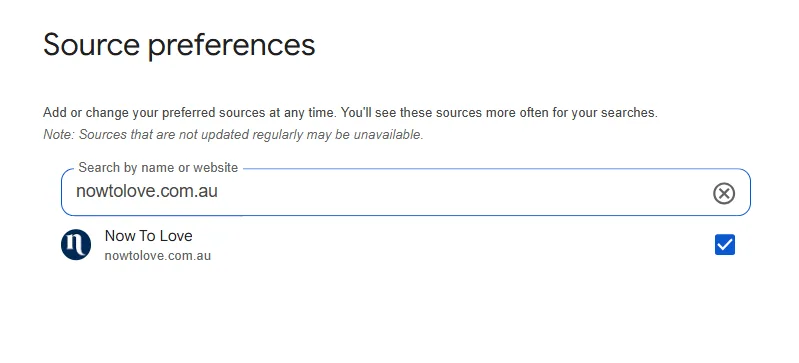
By adding us as a preferred source, you’re more likely to see our latest stories — from breaking celebrity news to royal updates and trending TV moments — when they match what you’re searching for.
This won’t override Google’s ranking system or guarantee a top result, but it does help highlight content from the publishers you choose when it’s relevant.
Thank you for reading Woman’s Day – we’re so glad you’re here!
Related stories

Native ad body.

‘1.3 million sick kids helped’: How Hospitals United for Sick Kids is getting children home to the things they miss

Native ad body.




Native ad body.